Showing posts with label Math Facts. Show all posts

Sunday, March 1, 2015

Ninja Multiplication Fact Fun - Kicking it Math GIVEAWAY!

Do your students struggle to memorize their math facts?  Are you looking for a new way to improve student math fact fluency and to build number sense?  Need to provide a wiggle break halfway through your day?

Try Kicking It - A Program for Mastering Math Facts which my students lovingly call Ninja Math!

Inspire students to memorize their multiplication math facts with a high energy, fast paced, daily review.  This amazing product was created by Kelly Malloy from An Apple for the Teacher.

An Apple for the Teacher

I have tweaked the program a little to best fit my students.  Here is a peak at how I run our math fact fluency block during our daily math lesson:

We begin in a circle to practice some skip counting.  One student is selected to stand in the middle of the circle to make sure that all of our ninjas are actively engaged.  If they are not, they sit down.


The student in the middle calls out a specific move for students to preform with self-control and discipline:
Hook

Jab

Cross

Uppercut

Kick


Another student stands at the front of the room, by our Smart Board, and calls out facts ...

4 x 1 = 

...and the ninjas yell out 4 while they throw their punch.

4 x 2 =

....8

4 x 3 = 

...12


We practice a few sets of problems.  Each time we need to switch slides our student in the middle calls out a new move for students to perform.

Then students grab a belt and a partner and practice their math facts that are aligned with their specific belt color.


They practice for a minute each, quizzing each other on specific facts based on their progression through the program.


After 2 minutes, I call out, "Belts away, folders out."  Students return their math fact belts to the bin and pull out their Ninja Math folders.


I call out, "Markers up."  Students pull out their markers from the zip-lock bag inside their folder.  When I see their markers up I know they are ready.


I call out, "Ninjas, are you ready to kick it?"  They respond with a loud, "Yes!"  The timer begins.


I've played around with different times.  The time that works the best for my class is 3 minutes and 33 seconds, possibly selected because 3 is my favorite number.


Students rush to complete as many math facts as possible in the allotted time, before the timer buzzes.  Their math fact sheets are inside page protectors and they use whiteboard markers.


Once the timer buzzes students pass their folders around in their groups for their partners to grade.  Answer keys are in the back of their folders and they use them to check each others work.


Students who pass come to my table to exchange their math fact sheet for a new one.


 Math fact sheets are color coordinated to match the color belt that students have achieved.  As students "kick" each level, and earn belts, they add them to their dog tags.  Math fact sheets match the color of belt that they most recently have received.

Their dog tags serve as a display of their accomplishments throughout the program.


They proudly wear them throughout the day but I request that they stay in class until they become a black belt.


Once students become a black belt they are initiated during our lunch time black belt party.

Students enjoy black belt cupcakes (with black licorice of course.)


They earn Ninja bags and a certificate of completion.


Each bag contains a little ninja stress squeeze figure and some candy.  The ninja figures and bags were from Oriental Trading Company.


Students ate pizza for lunch during our celebration.  We listened to some Ninja tunes, celebrated, and enjoyed our success with multiplication math fact fluency.

Each month we have a new party to initiate the new black belts into our club.


Check out how Kelly uses this program in her classroom here.

Here is a peak at the Table of Contents from Kicking It Math.  Check out what is included in Kelly's pack.


Want to win a copy for yourself?  Kelly has offered a free copy of her Kicking It Math - Multiplication and your choice of any product from her TPT store.  Enter below for a chance to win!

a Rafflecopter giveaway

How do you improve your students' math fact fluency?


Saturday, December 28, 2013

XtraMath Website for Math Fact Practice

Looking for a quick and fun way for your students to practice their math facts both at home and at school?  Check out the site Xtra Math.  It's free for you and your students.  You simply create a username and password, set up your class list, print out your students log-in and password info and your off and running. 


I introduced the site to my students this week and it was a huge hit!  I didn't have to do much explaining for my students to pick up how to use the site.  A quick video plays for them when they log-in and it walks them through all the steps.


The best part is Xtra Math emails you, the teacher, weekly data for how your students are progressing with their math facts.

Check it out!  For more great tips and ideas, head over to Teaching Maddeness for Friday Flashback.


Friday, July 5, 2013

Tune into Technology: Integrating Technology into Math

One of my favorite blogs, iTeach1:1, is hosting an amazing link-up:  Tune into Technology.

This week I couldn't resist...I just had to link up to discuss the topic:  Integrating Technology into Math.

To start off, two of my favorite websites to find quick, fun, and educational videos are Brain Pop and Brain Pop JR


Brain Pop and Brain Pop JR are educational websites with short animated videos for students in grades K-12.  Also included are quizzes, supplemental information and related materials, and games covering science, social studies, English, technology, health, art, music, and today's topic: math!

Although Brain Pop and Brain Pop JR are websites you need to pay to use they do have some videos and free materials that you can check out.  I'm lucky to have our district pay for our subscription because I use this site frequently.  The videos are quick and comical.  Students love them and they provide a quick review of a previously learned topic, or a great intro into something new.


I like to integrate technology into my math center rotations.  I use a center wheel to organize my math center rotations.  Some of the technology based rotations include classroom computers, our Smart Board, Smart Table, and Kindles (to name a few).


Students use the computer to play games such as XtraMath or Study Island Math.


XtraMath is a free website that I've raved about in a previous blog post that you can check out hereStudy Island is funded by our district.  Students love the quick and fun lessons that are standards based.  They are also obsessed with the games.  Students get quick skill and drill practice of Common Core or state specific math standards while playing fun games.  Best of all, it keeps track of student progress for teacher record.


Students use the Smart Board to play games that I received from Lakeshore Learning through a funded project on Donors Choose.


A student favorite is Math Quiz Game Show.  We project this game with our Smart Board so that students can play as a whole class, in small groups, or with partners.  This games has all the sights and sounds of a real-life game show.  It's perfect for math review or extra practice as it includes 200 level-appropriate questions in 11 key categories.


Another student favorite for math center rotations is our Smart Table.  Smart Exchange has free downloads for the Smart Table that you can search for based on grade level and topic.  I usually check out this site first before heading out and creating my own file since creating files for a Smart Table can become time consuming.  I love the interactive feel of a Smart Table.  Students are provided with activities that build teamwork skills and help students learn to work effectively with partners and in small groups.

Students use Kindles during our math center rotations to practice math facts with free APPS such as Arithmemouse, Telling Time, math Bingo, and Butterfly Math.  Every few weeks I always check out Amazon to see which apps are free.  Free apps change often.  I also save up Amazon gift cards to use to purchase apps and books for our class Kindles.
Want to learn more about integrating technology into math?  Pop on over to iTeach1:1 today.


Monday, July 16, 2012

Math Projects for Monday Made It

Hey Yall!  I'm linking up with Tara again for my absolute favorite day of the week:  Monday Made It!  This week I decided to showcase a few of my summer projects that focus on math!

First off, I could not get enough of these amazing dice shakers from Primary Inspired.  I ran out immediately after seeing them and had to make them for myself . I swung by Dollar Tree to get some glitter, dice, glue, gems.  Then I ran to Wegmans to purchase some tiny water bottles.  For some reason, they kind of remind me of mini rocket ships.  Weird!


Any who, I pulled off the labels.  Luckily, they didn't leave any sticky residue.  I popped in 2 dice and sprinkled in a little glitter.  Then I decided to glue the top back on so my little friends can't open them and accidentaly pour the water out during centers....not that they would ever do that, right?


I glued a gem to the top and drew on a couple of simple doodles with the glitter glue.  They came out pretty cute.  I can't wait to use them during math centers for some quiet dice rolling action.  You can check out one of the games that we use dice for right here.


Next, I had to create something robot-ish for my classroom.  Working number sense activities into my daily routine is a must for next year.  My kiddos are also going to need lots of chances to practice their math facts.  So, I devised a game:  Robot Swat.

I found these adorable fly swatters at Dollar Tree.  (They have others that come in shapes like butterflies and flowers.)  I printed off some robot clipart, laminated it, and glued a copy to each side.  I used a hot glue gun so it would stick strong and fast.  Here are pictures of my first two.  However, I ended up making four.


Then I created, cut out, and laminated gears with numbers and operation signs.  I also created some cards with math facts and guess my operation problems.  My thought is that students will get a fly swatter, when they see the problem card they will race to see who can swat the correct gear first.  Whoever swats the correct gear first, wins, and gets to play again.  The other 3 students must pass on their robot (fly) swatters to new students to play.  Here's a pic of my playing against my husband with just the number gears.


I envision my students playing this during morning meeting or as a math warm-up.  They will be gathered around in a circle, with the gears spread out in the middle.  I will select 2-4 students to play at a time.  After students learn how to play I might even make this one of our math centers.

Want a copy of my robot swat game?  You can download it here at my Teachers Pay Teachers store.  For today only, all my math materials are 20% off.  Stock up now for back to school!


Check out all the other cool projects on Tara's site for Monday Made It!

Friday, May 4, 2012

Math Fact Family Lunch

My students hosted a Math Fact Lunch for their families!  We served drinks, pizza, and cookies.


Students shared Power Point presentations with their families.  They discussed the importance of practicing math facts both at home and school and shared fun ways to practice.


Everyone who attended got a folder full of math fact games, activities, and hand-outs.  Along with a goody bag filled with playing cards and dice.


On a final note, stop by my Teachers pay Teachers store for the Teacher Appreciation Week 3-Day Sale!
TAD250x120

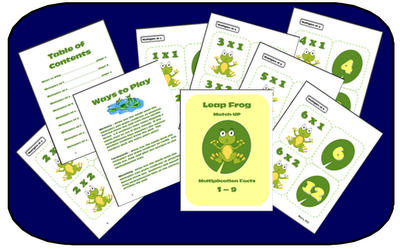
Stop by and see some of my new products, like Leap Frog Multiplication Memory!

http://www.teacherspayteachers.com/Product/Leap-Frog-Multiplication-Math-Fact-Memory-Game-or-Flashcards